HELP CENTRE · ACCOUNT
Plans and billing
The 14-day trial, the Team plan on the web, plans and report credits in the iOS and Android apps, and how to manage billing.
The free trial
A new organization gets a 14-day free trial. You do not need a payment card.
- The trial includes 10 issued reports and about 500 photos.
- After the trial ends, you can issue reports for 3 more days. AI suggestions stop.
- SnagOwl keeps your projects, snags and photos after the trial.
The app shows the days that are left, for example “Free trial: 14 days left”.
Plans for an organization (web)
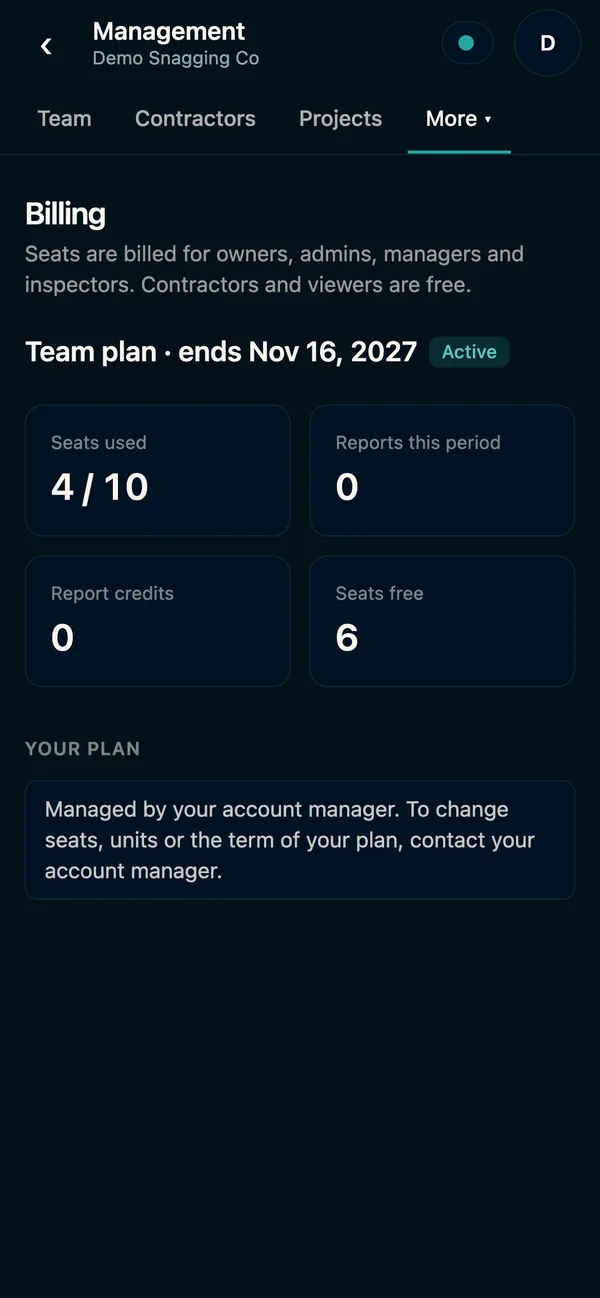
An organization pays for the Team plan on the web, for each seat. Owners, admins, managers and inspectors use a seat. Contractors and viewers are free. For the prices, refer to the pricing page.
Only owners and admins can open the Billing tab. The tab is on the web only.
Choose a plan
-
Open SnagOwl in a web browser.
-
Open the management console.
-
On a phone browser, tap More.
-
Tap the Billing tab.
-
Select the currency: AED or USD.
-
Tap Choose plan: monthly or Choose plan: annual.
-
Complete the payment.
NOTE: After the first payment, the account stays in the same currency.
Change the number of seats
- On the Billing tab, find Number of seats.
- Enter the new number of seats.
- Tap Change seats.
The app shows “Seats updated to” and the number. You cannot have fewer seats than the seats in use. The Team plan has a minimum of 3 seats.
See invoices and change the payment card
- On the Billing tab, tap Manage billing.
- On the billing page that opens, select the task.
On the billing page, you can see the invoices, change the payment card and cancel the plan.
Plans for a personal workspace (apps)
A personal workspace (Just me or My own home) buys plans in the iOS app or the Android app. The web shows “Plans are available in the iOS and Android apps.”
| Product | What you get |
|---|---|
| Starter (monthly or annual) | 1 inspector, 1,000 snags a month |
| Report credits | One credit issues one report |
| Homeowner unit report | A report for one home |
- In the app, tap your initial at the top of the screen.
- Tap Plans.
- Select the product.
- Complete the purchase in the store.
If you bought a plan before, tap Restore purchases.
Snag limit
A plan can have a limit of snags each month. When you reach the limit, the app shows “Snag limit reached”. New snags are still saved and synced.
Billing status
The Billing tab shows the status of the plan: Active, Free trial, Payment overdue, Canceled or Expired.